How to access your district provided office-365 apps
Did you know? SMCCCD provides Office 365 licenses for district employes. Although some of the less popular apps are available only for cloud use (you can only use them in your browser), other more commonly used apps such as Word, PowerPoint, Excel, OneNote, and Outlook are available both as cloud apps and as client apps you can install in up to 5 devices
Follow these instructions to install O365 apps
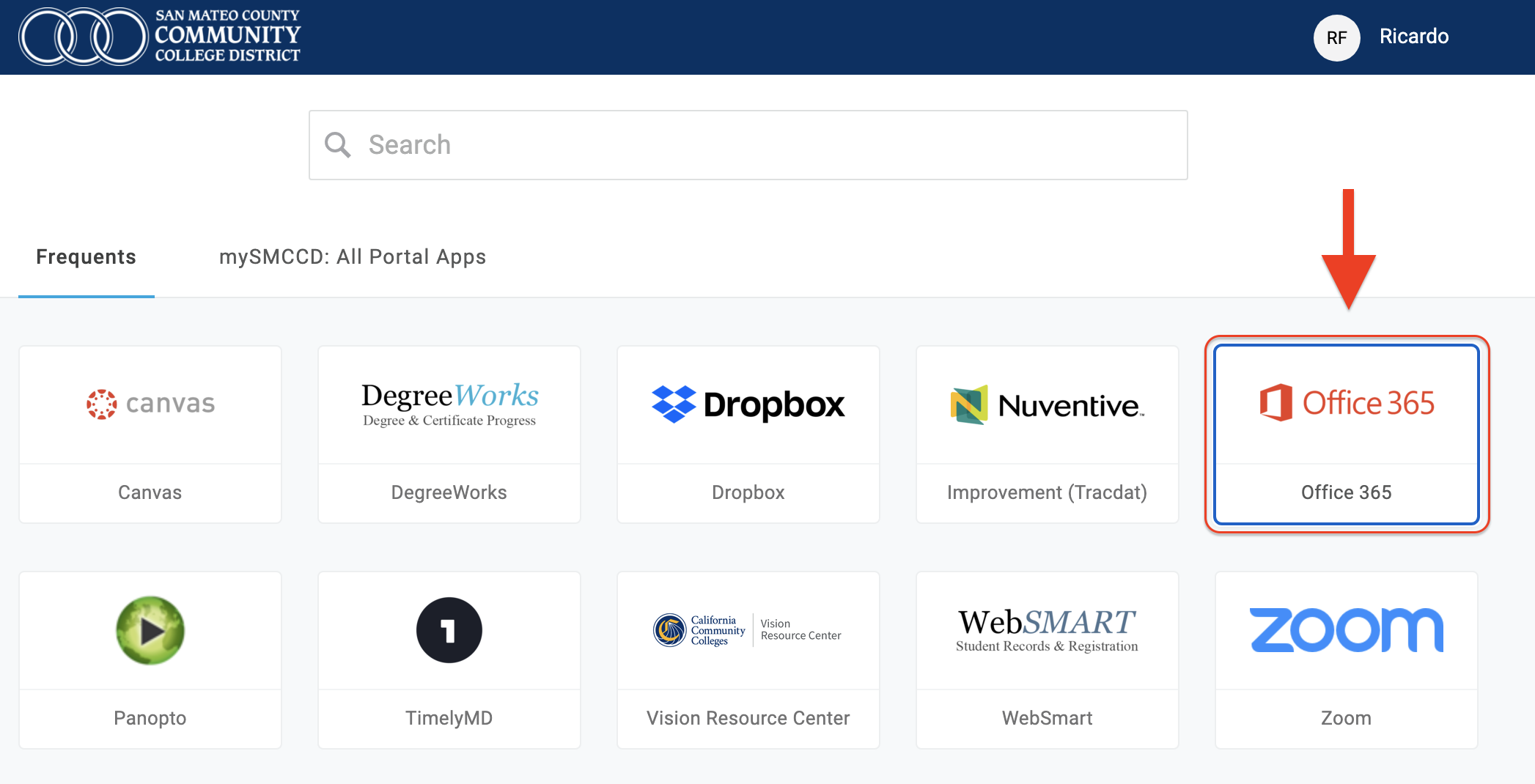
- Go to the SMCCCD Portal and login with your SMCCCD credentials
- Click the Office 365 tile as shown here
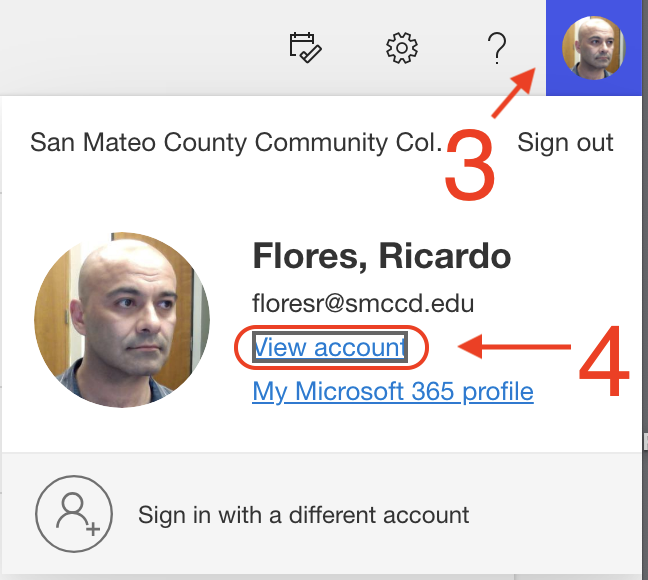
- Click your avatar or picture in the top right corner and
- Click “View account”
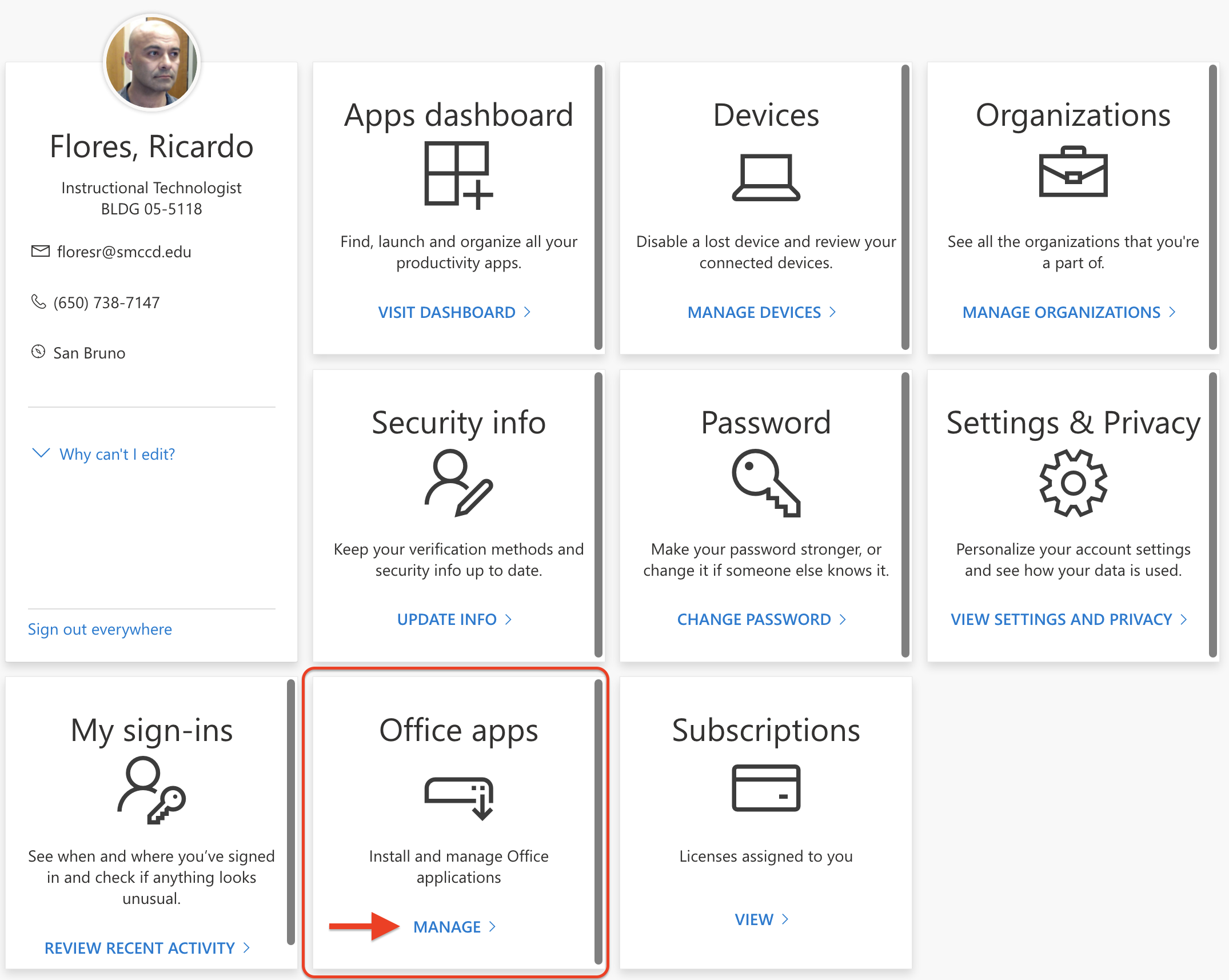
- Click “MANAGE” in the Office apps tile
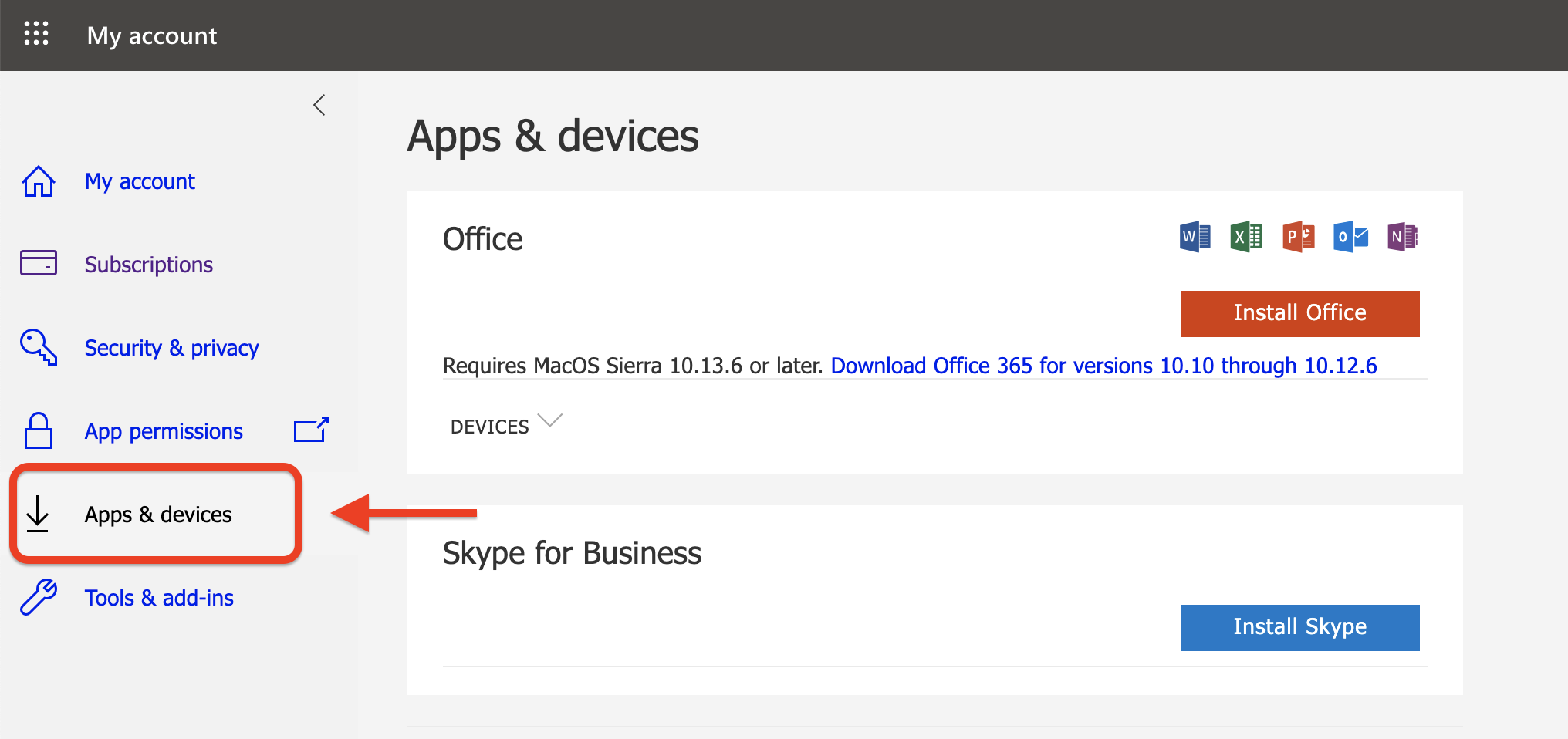
You will be routed to this page (see below) where you can download and install the apps on up to five devices!
Have questions or need assistance? Contact the Instructional Technologist.